
Why does Home page say Soon in AI Pages?
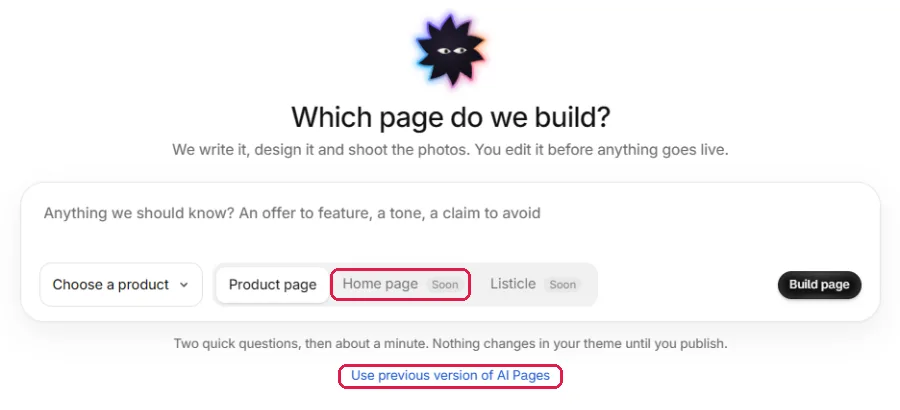
The new AI Pages screen builds product pages for now. Build a home page from the previous version, one click away.
The new AI Pages screen builds product pages for now. Home page and Listicle show Soon there. The home page builder still works in the previous version of AI Pages, one click away.
Build a home page
In Shopify admin, open Apps → Section Store → AI Pages.
Below Build page, click Use previous version of AI Pages.
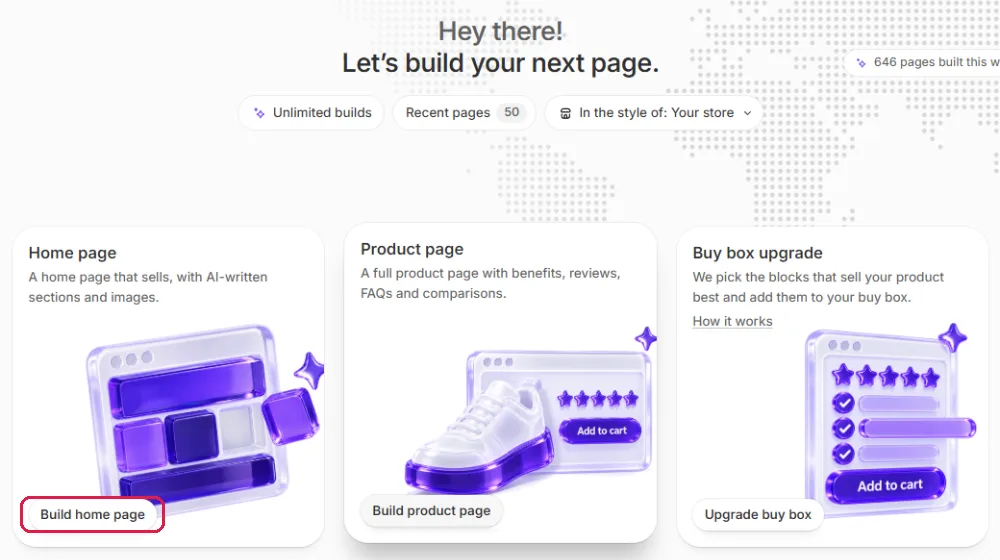
On the Home page card, click Build home page.
Follow the rest of the steps in Build a home page with AI.
Good to know
- Opening AI Pages from the app menu again takes you back to the new screen.
- The previous version also has Product page and Buy box upgrade.
- Your current home page stays live until you click Use as home page.
Related
- Build a home page with AI
- Build a product page with the new AI Pages
- Use my AI page as the home page
- Restore my old home page
Also searched as: home page soon, homepage soon, ai home page soon, home page coming soon, ai home page not available, home page unavailable, home page not available in ai pages, can't build home page, cannot build homepage, where is build home page, build home page missing, build home page button gone, home page greyed out, home page disabled, ai homepage, generate homepage with ai, create home page with ai, ai home page release date, when will ai home page be available, new ai pages home page, ai pages only product page, listicle soon, listicle coming soon, previous version of ai pages, use previous version, old ai pages, classic ai pages, old version of ai pages, switch back to old ai pages, page d'accueil ia non disponible, créer page d'accueil ia, homepgae ai, home pgae soon
Did this answer your question?