
Where do I put custom CSS for a bundle or the cart drawer?
Where to paste your own CSS for bundles and the cart drawer, the limits, and why theme CSS doesn't reach the drawer.
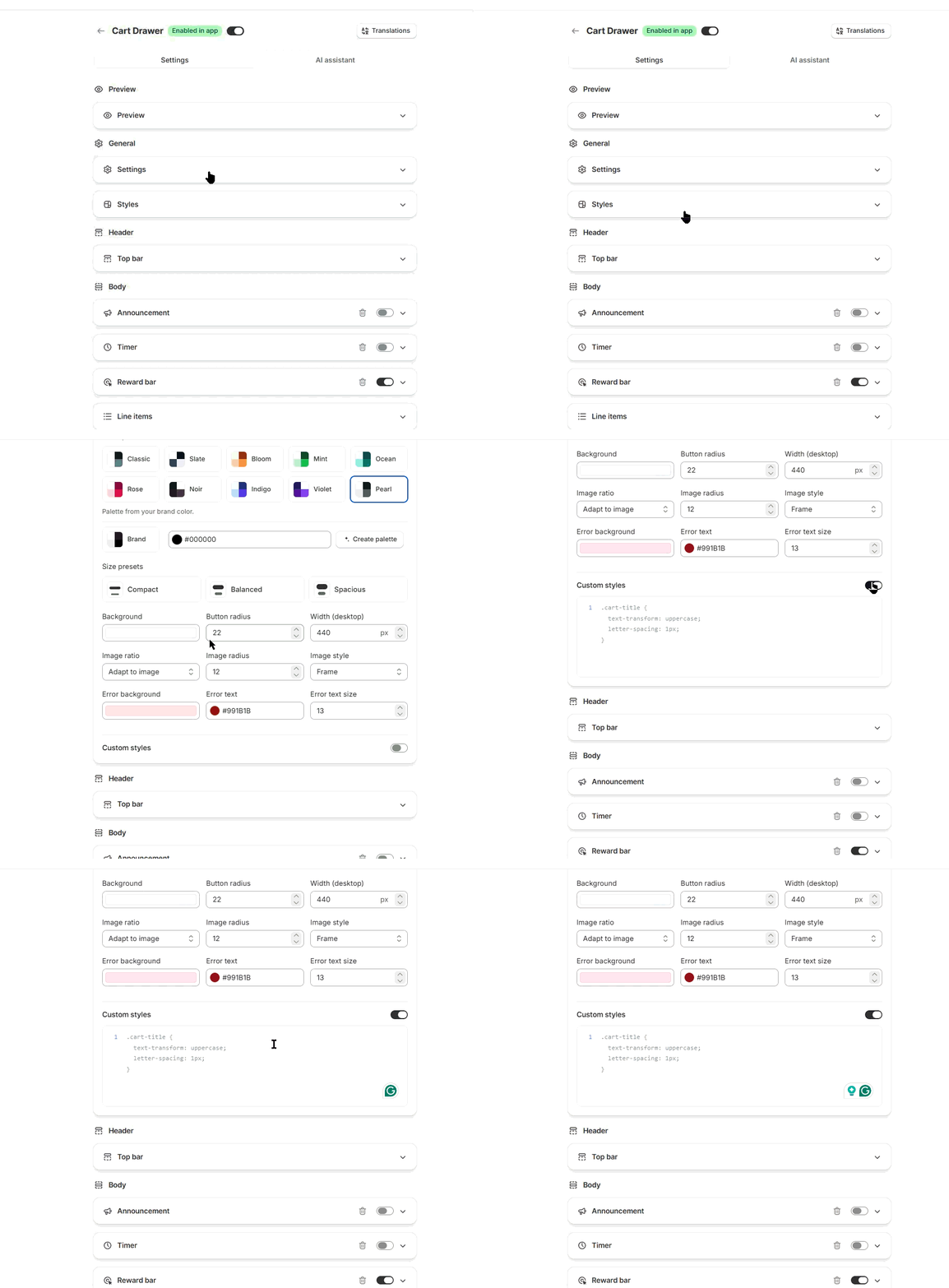
Add your own CSS in the editor of a bundle or cart. Bundles use Custom Styles at the bottom of the Fine-tune styling card on the Style tab, with a choice of All deals or This deal. The cart drawer uses Custom styles under General → Styles. Changes show in the preview right away.
Bundles
- In Shopify admin, open Apps → Section Store → Bundles.
- Open the bundle you want to style.
- Open the Style tab, then expand the Fine-tune styling card.
- Scroll to the bottom to Custom Styles and turn it on.
- Choose All deals (every bundle in your store) or This deal (only this bundle).
- Paste your CSS in the editor. Watch the preview.
- Click Save.
Cart drawer
- In Shopify admin, open Apps → Section Store → Cart Drawer.
- Open your cart.
- Switch to Settings, not AI assistant.
- Under General, open the Styles card.
- Scroll to Custom styles and turn it on.
- Paste your CSS, check the preview, then click Save.
Cart drawer CSS is one box for the whole drawer. There is no All deals or This deal choice.
Limits
- Each CSS box holds up to 20,000 characters.
@importlines are removed. Use plain rules.- You can save CSS on a draft without Plus. Shoppers see it once the bundle or cart is live, and that needs Plus.
- In an A/B test, custom CSS is shared by every version.
Tips
- Add one rule at a time so you can see what changed.
- Target Section Store classes, not your whole theme. The boxes show an example, such as
.bundle-headeror.cart-title. - Custom CSS is for tweaks. If a widget changes later, a selector may stop working. We can't promise that yours will keep working.
- Try settings first. Colors, sizes and spacing are on the Style tab on bundles, and in Styles on the cart.
- For visual changes without code, use Customize with AI on bundles or the AI assistant tab on the cart.
If it doesn't work
- CSS in your theme files doesn't change the drawer. The drawer sits in its own isolated layer, so theme CSS can't reach it. Paste your rules into Custom styles.
- Nothing changes after Save. Check that the switch is on. Then reload your store.
- The editor says your settings are too large to save. Shorten your CSS.
Related
Also searched as: custom css, css, add css, own css, custom code, edit code, bundle css, cart drawer css, custom styles, css editor, where to put css, css not working, css not applying, all deals, this deal, global css, css per bundle, target class, class name, css selector, section store class, preview css, save css, css disappeared, css stopped working, override style, cannot edit code, developer css, theme css not reaching cart drawer, css character limit, @import removed, where do i put css for bundle, custom css bundle block, css for bundle, bundle block css, css for the bundle widget
Did this answer your question?