
Choose which discounts a bundle combines with
Pick whether a bundle stacks with order, product and shipping discounts. It's off by default, so bundles work as before.
You can choose which other Shopify discounts a bundle stacks with: order, product and shipping discounts. It's off by default, so your existing bundles keep working as before.
Before you start
You need Section Store Plus or its free trial.
Set it up
In Shopify admin, open Apps → Section Store → Bundles.
Click Edit on a bundle, or create one.
Open Settings, then Cart and discounts.
Turn on Choose what this bundle combines with.
Tick what it should stack with: Order discounts, Product discounts or Shipping discounts.
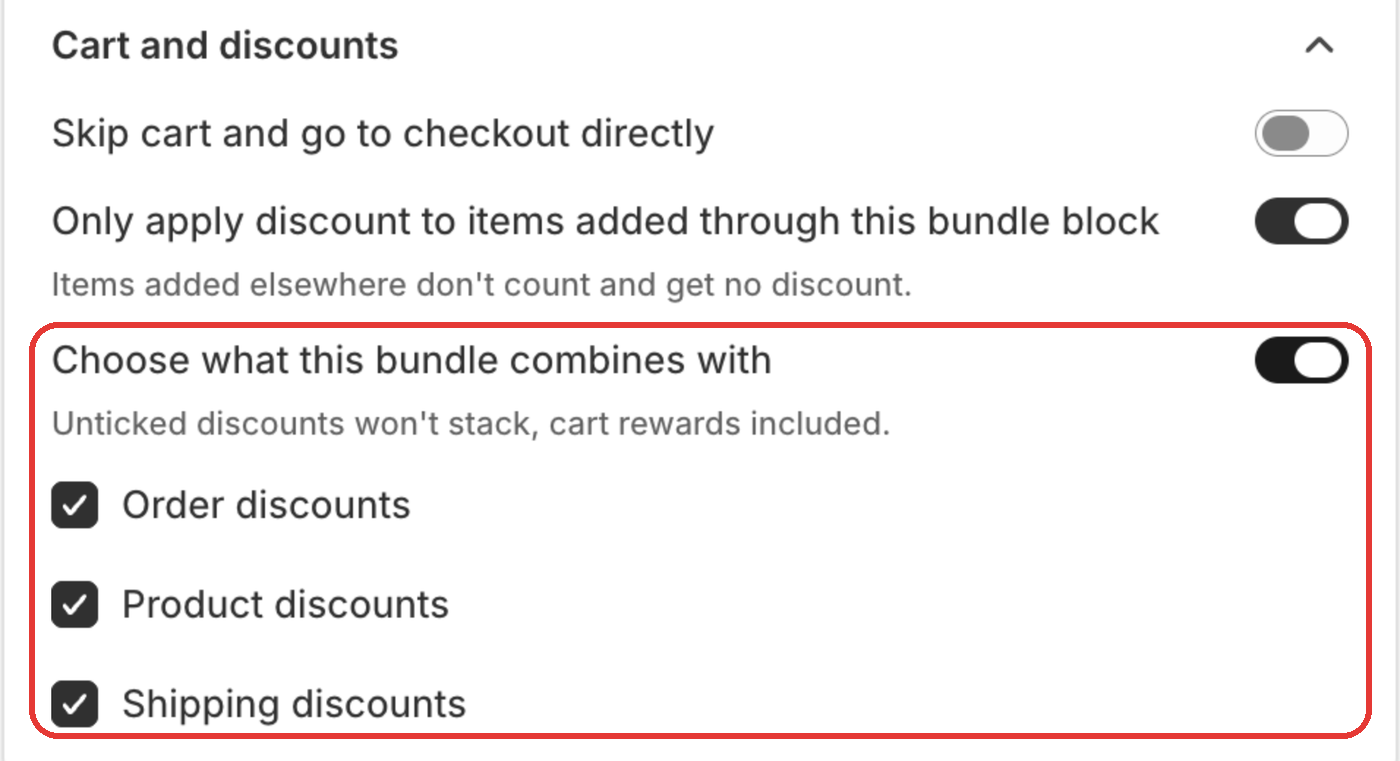
Click Save, then Publish if the bundle is live.
Good to know
- Unticked discounts won't stack with the bundle. That includes cart drawer rewards.
- The other discount must also allow combining, under its Combinations in Shopify Discounts.
- With the switch off, nothing changes for your bundle.
- In an A/B test these boxes follow the live bundle, because all versions share one Shopify discount.
- Don't change Combinations on the "Section Store Discount" in Shopify Discounts. We rewrite it the next time you save.
Related
- Can shoppers use a discount code with a bundle?
- Why isn't my bundle discount applied at checkout?
- Why is my free gift missing or charged at checkout?
- Do cart rewards work with discount codes?
Also searched as: combine discounts with bundle, bundle discount, stack discounts, discount stacking, discount code with bundle, coupon with bundle, promo code bundle, combinations, order discount with bundle, shipping discount with bundle, free shipping with bundle, discount code not working with bundle, double discount, stop discounts stacking, only one discount, quantity breaks combine, free gift charged with code, bundle price lost with code, voucher bundle
Did this answer your question?