
My Section Disappeared After a Theme Update or Switch
Updated or switched your theme and a section vanished? Nothing is lost. Here is what happened and how to get everything back in a few minutes.
Why it happens
Sections live inside a specific theme. A theme update installs a fresh copy of the theme, and switching themes moves you to a different one entirely. Your purchased sections are still yours, they are just not placed in the new theme yet.
Bring sections back
- Open the Section Store app in your Shopify admin
- Find your purchased section and add it to the new theme. Buying again is never needed
- In the theme editor, place it where it was before
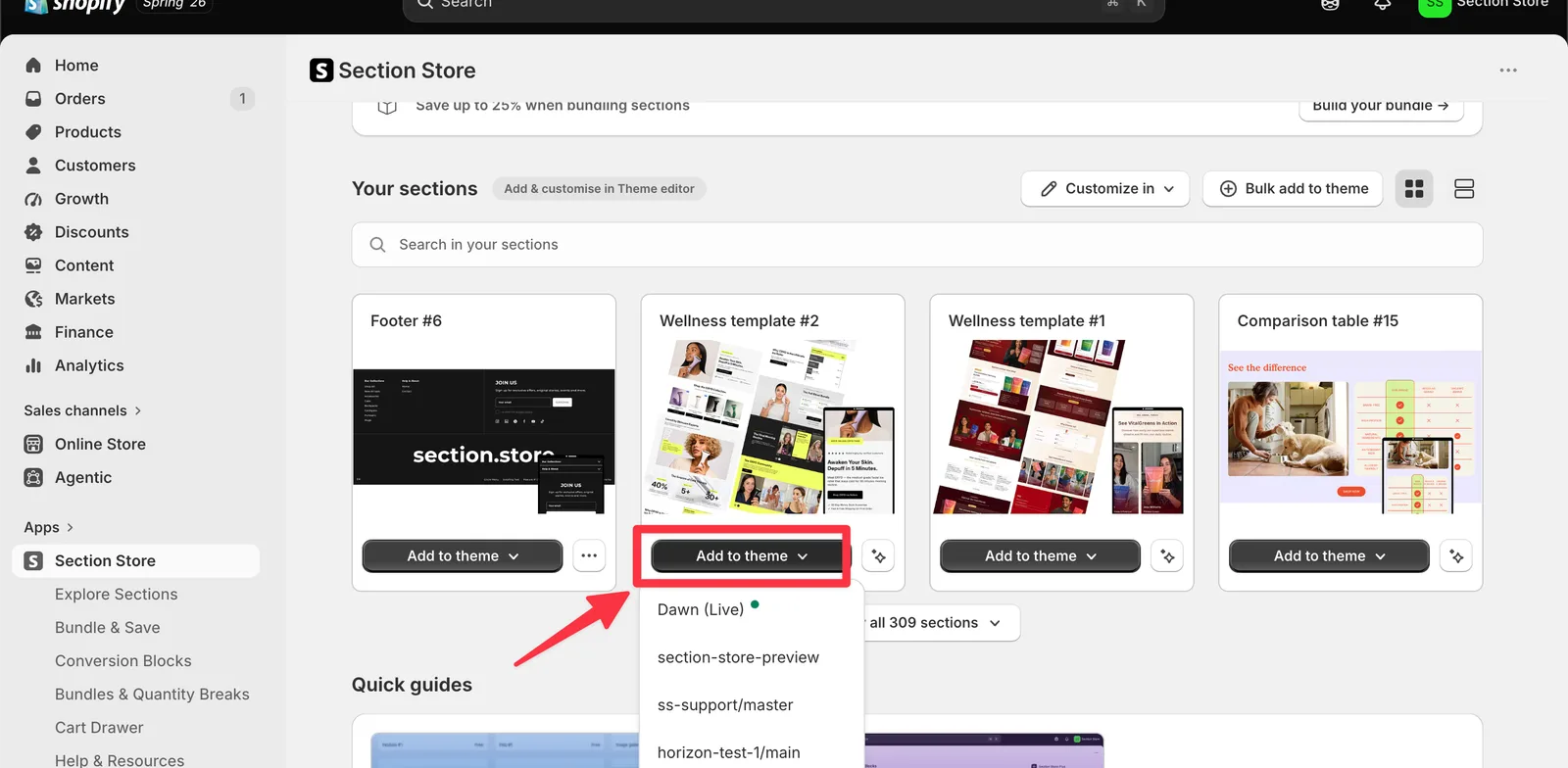
Bring conversion blocks back
If you use Section Store Plus, your saved conversion blocks are still in the app under the Conversion Blocks tab. Open it, choose your product template on the new theme and enable them again. Your setup is saved, so this takes a minute.
Settings worth rechecking
Text and images you typed into the old theme's copy of a section stay with that old theme. Keep the old theme in your library until the new one looks right, you can copy content across while both exist. Our copy sections guide below walks through it.
Anything not where you expect? Email [email protected] or [email protected] and we will restore it with you.
Related articles
- Add Purchased Section To Theme
- Copy Section Settings to Another Theme by Editing Code
- Theme Migrator
Also searched as: add to theme, blocks gone, buy again, changed theme, content lost, conversion blocks gone, conversion blocks missing, copy content, disappeared, do i have to rebuy, everything disappeared, get sections back, gone, keep old theme, lost my purchase, lost sections, missing, my sections tab, new theme, old theme, plus blocks gone, purchased sections, repurchase, restore section, section gone, section missing, section not in new theme, section vanished, sections not showing after update, settings lost, switched theme, text gone, theme switch, theme update, theme upgrade, update theme, updated my theme, where is my section
Did this answer your question?