
Build an about us, contact, landing or FAQ page with AI
Describe the about us, contact, landing or FAQ page you want. AI Pages builds it as a hidden page. Then you publish it.
AI Pages makes an about us page, contact page, landing page or FAQ page for you. Click Build a page and describe what you want. We plan the page, write it, make the images and create it as a hidden page in Shopify. It stays hidden until you click Publish page.
This also works for campaign pages, size guides and pages about a product or collection.
Before you start
- You need an active Plus subscription and one credit.
- You don't need any products.
Build the page
In Shopify admin, open Apps → Section Store → AI Pages.
On the Any page card, click Build a page.
Fill in Describe your page. Say what the page is for and who reads it. Name the products or collections to feature. Paste the facts you want on the page.
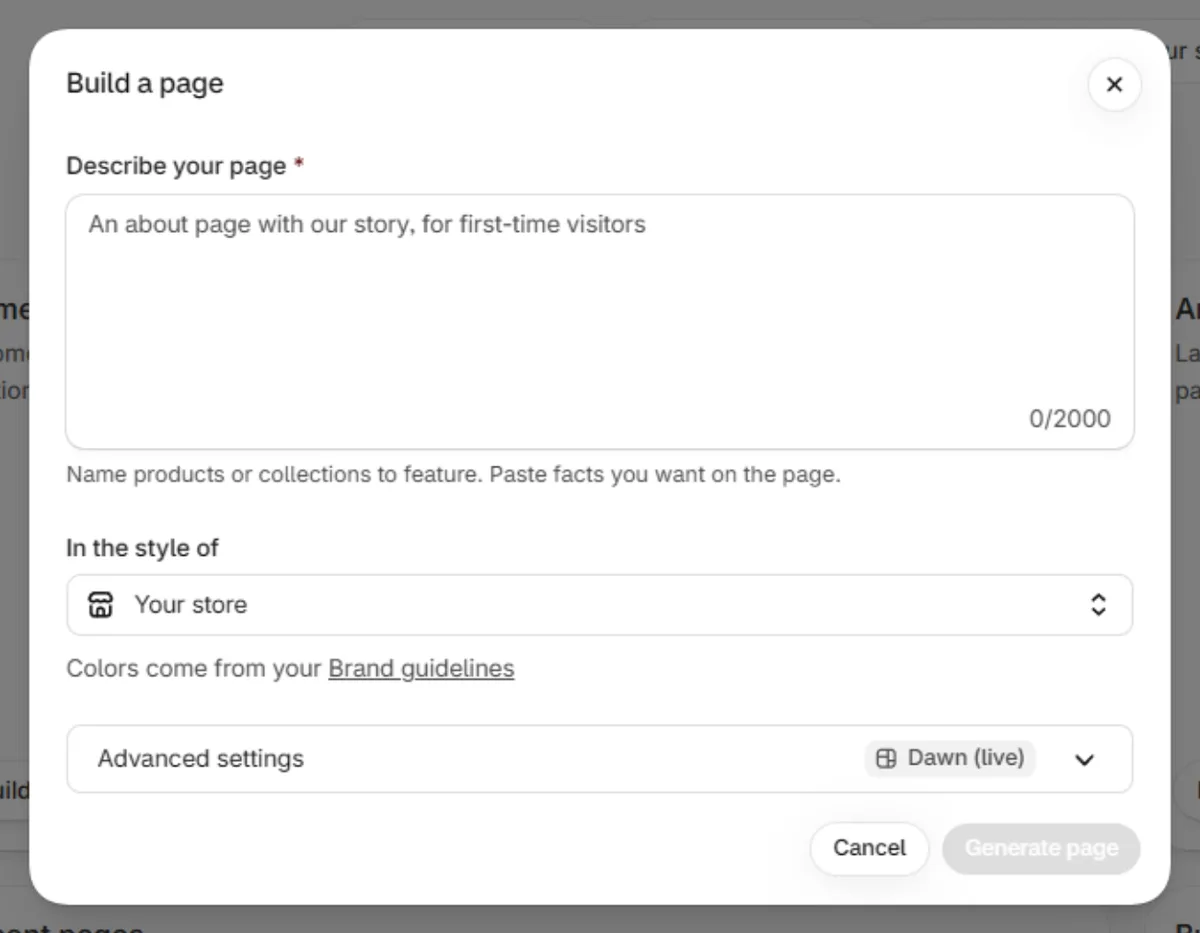
Optional: set In the style of.
Optional: open Advanced settings and pick a Theme.
Click Generate page. It usually takes 3 to 4 minutes. You can close the window.
In Your page is ready, click Open theme editor to review it. The page is hidden. Only you can see it.
Click Publish page. Customers find it at the path shown, like /pages/about-us.
What the build makes
- A template named ai-page- plus a number, with up to 7 sections.
- A hidden page in Shopify on that template.
- A title, a URL, and a search title and description.
If it doesn't work
- Your description is refused. No credit was used. See the article below.
- "We couldn’t find" a product or collection in your store. The name didn't match, or the product isn't on your Online Store. The page still builds without it.
- Publish page is missing. The page's theme isn't live.
Related
- What to write in Describe your page
- Publish my AI page
- Why was my page description refused?
- Rename an AI page or change its URL
- Add my AI page to the menu
- Why was a section left out of my page?
Also searched as: landing page, ai landing page, about page, about us page, faq page, contact page, campaign page, size guide page, sale page, custom page, any page, build a page, store page, page about a product, landng page, make me an about us page, make an about page, create about us page, create a contact page, make a contact page, contact us page, create a landing page, make a landing page, create a faq page, make a faq page, make me a page, make a page, create a page, build me a page, new page
Did this answer your question?