
Invoices, billing and canceling
How Section Store charges work, where your invoices are, how to cancel Plus, and what to do about refunds and uncollected charges.
Every Section Store charge bills through Shopify. Your invoices are in Shopify admin under Settings → Billing. Plus is our only subscription. You cancel it in the app.
How charges work
Sections are a one time purchase. You pay once and the section is yours forever.
There is no monthly fee for sections and nothing to cancel.
Section Store Plus is our only subscription. It costs $15/month after a 14-day free trial. Stores that subscribed earlier may keep $8 or $10. It covers AI Pages, Conversion Blocks, curated sections, bundles and the cart drawer. It is separate from your purchased sections.
AI credits you buy for AI Pages are a one-time charge. They are separate from the subscription.
Canceling Plus
- In Shopify admin, open Apps → Section Store → Conversion Blocks.
- Click Manage Subscription.
- Click Cancel subscription.
- Pick a reason and click Continue.
- Click Cancel Plus.
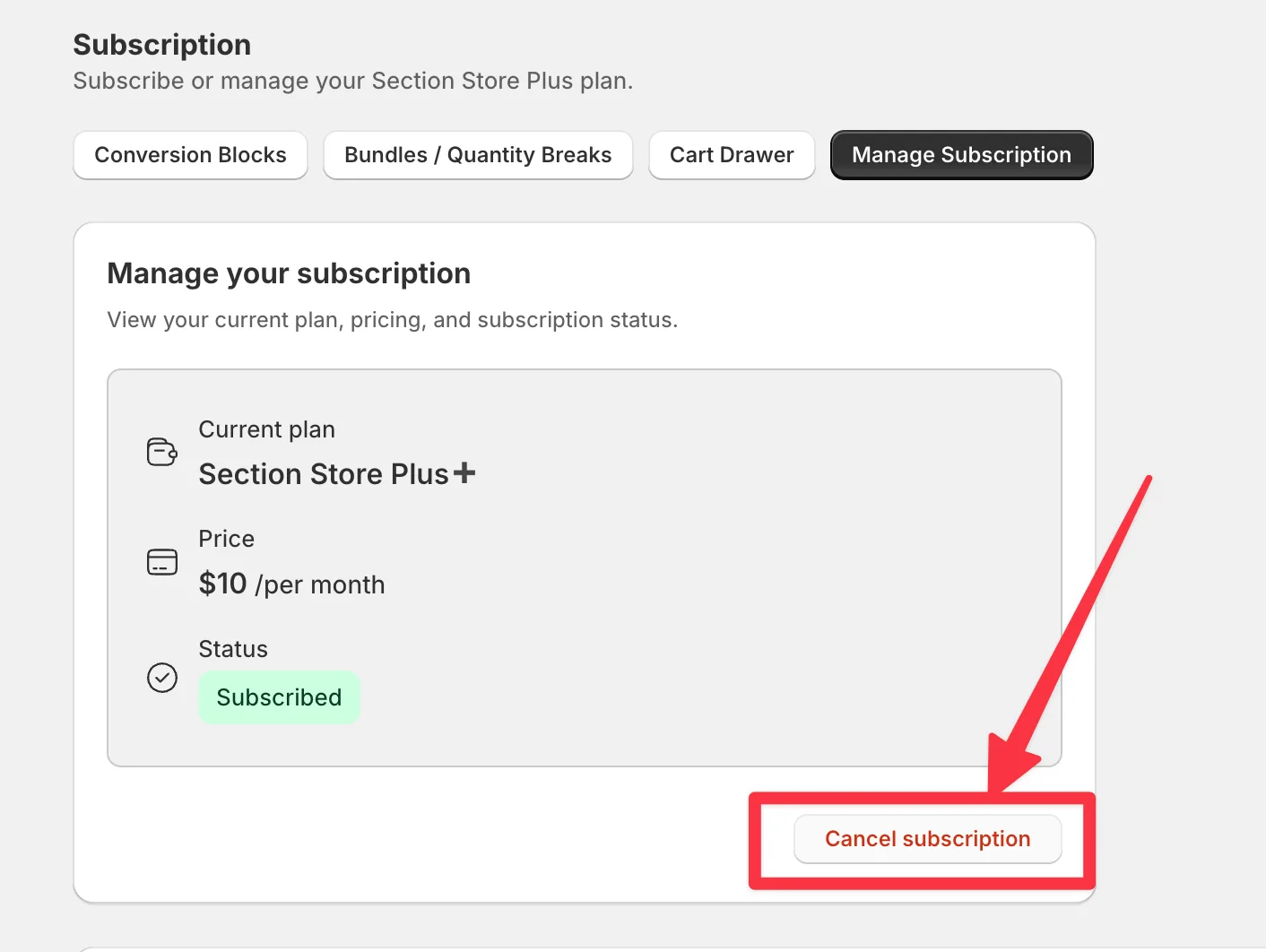
A paid plan keeps working until the paid period ends. A free trial ends at once. Uninstalling the app cancels Plus too.
When Plus ends, your conversion blocks, bundles and cart drawer stop showing, and checkout gives no bundle discount or cart reward. We don't delete them. Subscribing again brings back whatever is still switched on. A draft bundle stays a draft until you click Publish. Every section you bought stays in your theme.
Full steps: Unsubscribe or cancel Section Store Plus.
Finding your invoice
All charges bill through Shopify, so your invoices live in your Shopify admin under Settings → Billing. Section Store charges appear there by name, with the amount and date.
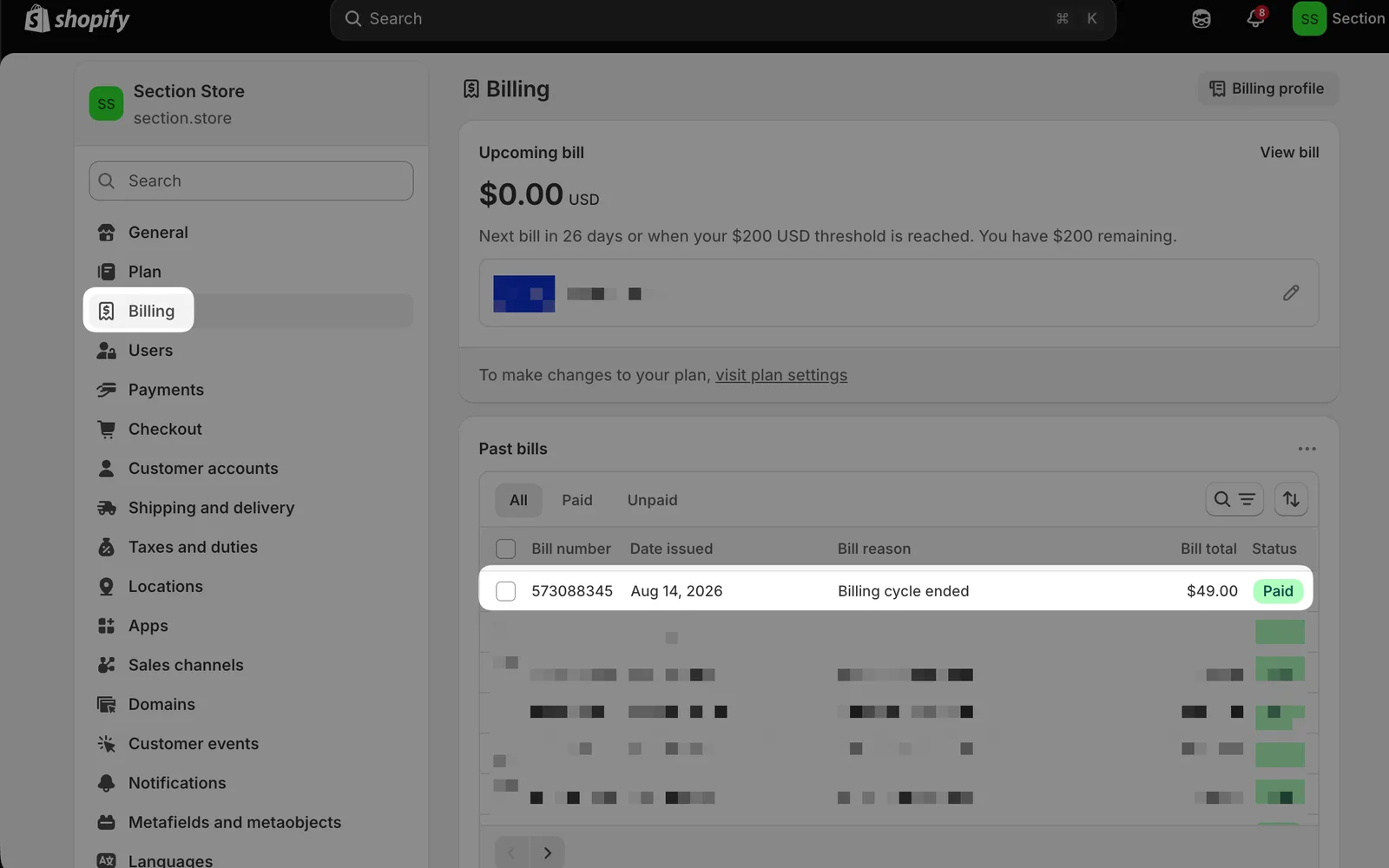
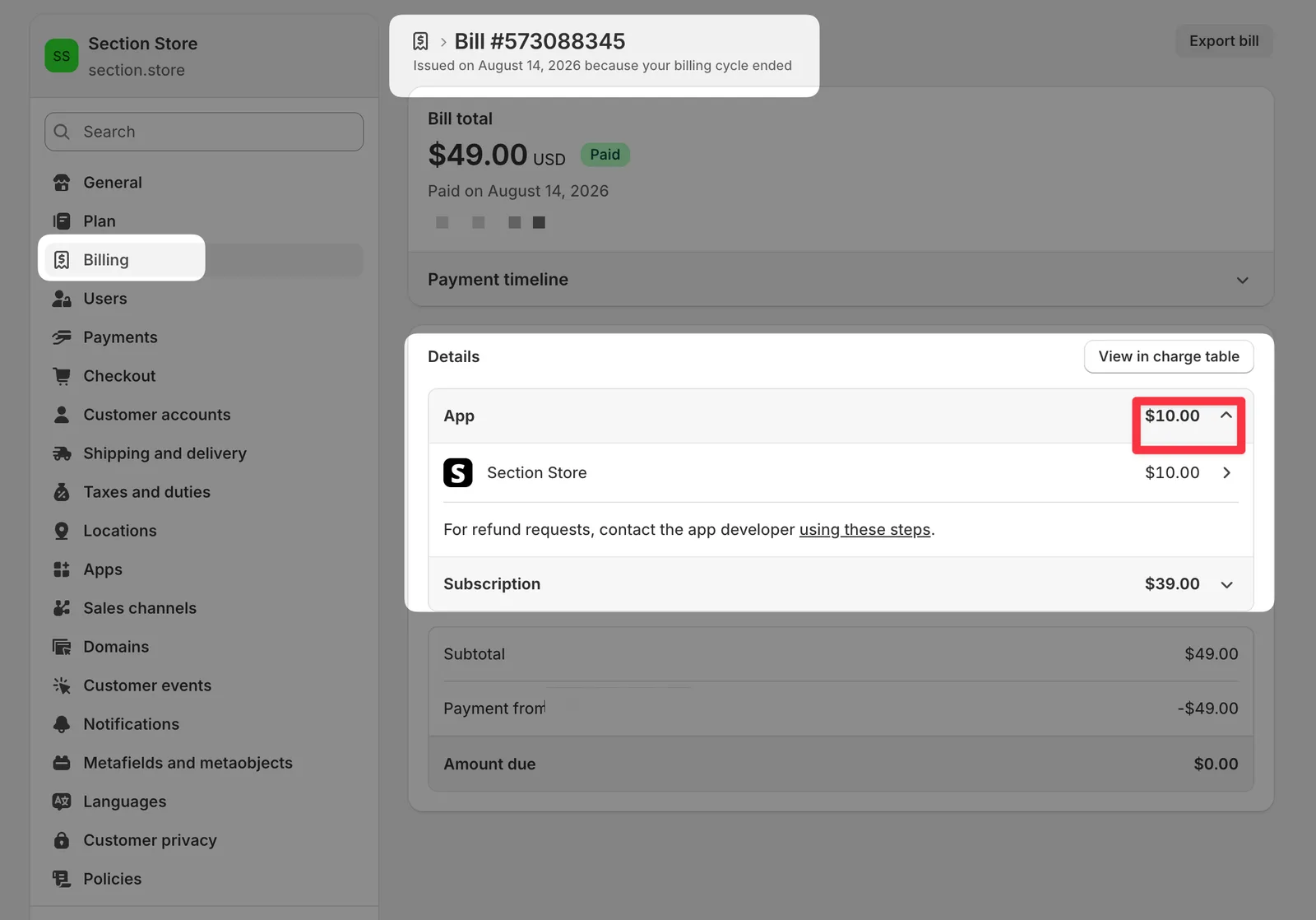
Full steps: Find your Section Store invoice for your accountant or taxes
Refunds
Sections aren't refundable under our terms. We can exchange a section for another of equal value within 14 days. Bought the wrong section, or it doesn't work on your theme? Email [email protected]. Details are in Refund & Exchange.
Section Store Plus. Cancelling doesn't refund the rest of a paid period. If you don't need Plus, cancel before your next billing date.
Any other money question, such as a double charge: open the chat bubble in the app or email [email protected]. A teammate will look at it.
One thing on timing. A refund returns money we have already received. Shopify collects app charges on your next bill, so there is a gap between approving a purchase and the money moving. If a charge hasn't been paid yet, there is nothing to send back. If it never collects, you were never charged.
Store credit
Same rule as a refund. We can only credit a payment we have received, and Shopify limits app credits. A teammate looks at each request.
A charge that has not been collected
If you can see a Section Store charge but nothing has left your account, Shopify hasn't collected it yet. Shopify collects app charges on your next bill, or when your billing threshold is reached.
- In Shopify admin, open Settings → Billing.
- Check Upcoming bill and Past bills.
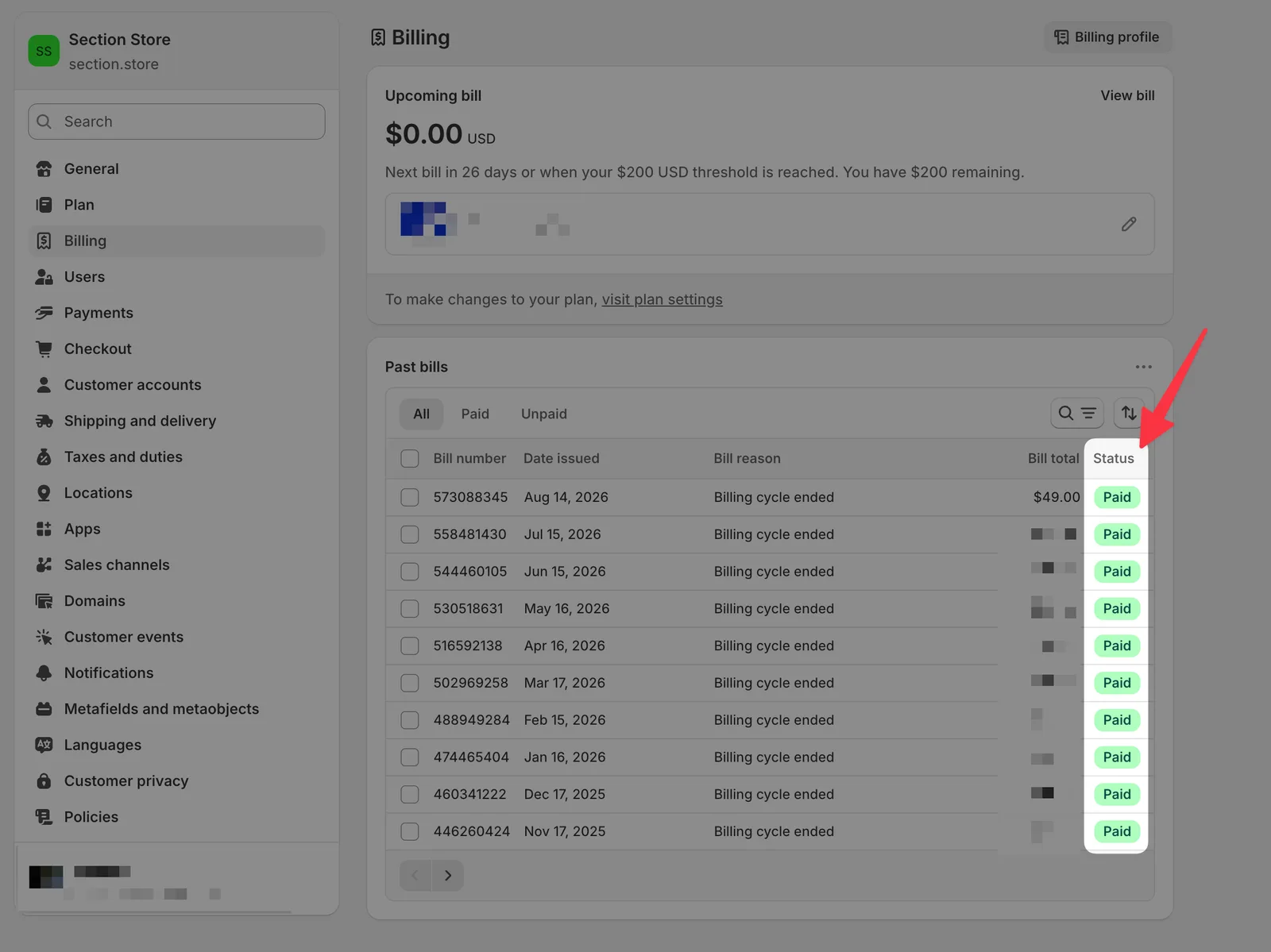
- Not on a paid bill yet: nothing has been collected, so there is nothing to refund.
- On a paid bill: it went through. Send us the bill number and a teammate will look at it.
Related
- Find your Section Store invoice for your accountant or taxes
- What does Plus cost and when do I pay?
- Why was I charged after I cancelled Plus?
- What happens when Plus ends?
Also searched as: invoice, invoices, billing, bill, bills, receipt, receipts, charge, charges, charged, payment, payments, recurring charge, app charges, refund, refunds, money back, return my money, get my money back, reimburse, reimbursement, chargeback, store credit, credit, application credit, exchange, charged twice, double charged, charged without permission, unexpected charge, what is this charge, pending charge, pending app charge, charge not collected, charged but, cancel pending charge, uncollected charge, billing threshold, charge status, paid or pending, not refundable yet, facture, facturation, paiement, remboursement, factura, reembolso, rechnung, erstattung, rechnungen
Did this answer your question?