
Build a product page with the new AI Pages
Pick a product and a customer, choose a look, then edit and publish a full AI product page.
The new AI Pages builds a full product page for one of your products in about a minute. It writes the story, designs the page and shoots the photos, and you edit everything before anything goes live. Nothing changes in your theme until you publish.
Before you start
- You need a product in your store to build from.
- Your first page is free. After that, a page costs 1 credit, and new photos cost 1 more.
- Publishing a page needs Section Store Plus. If you don't have it yet, Start trial and publish starts your 14-day free trial.
Build your page
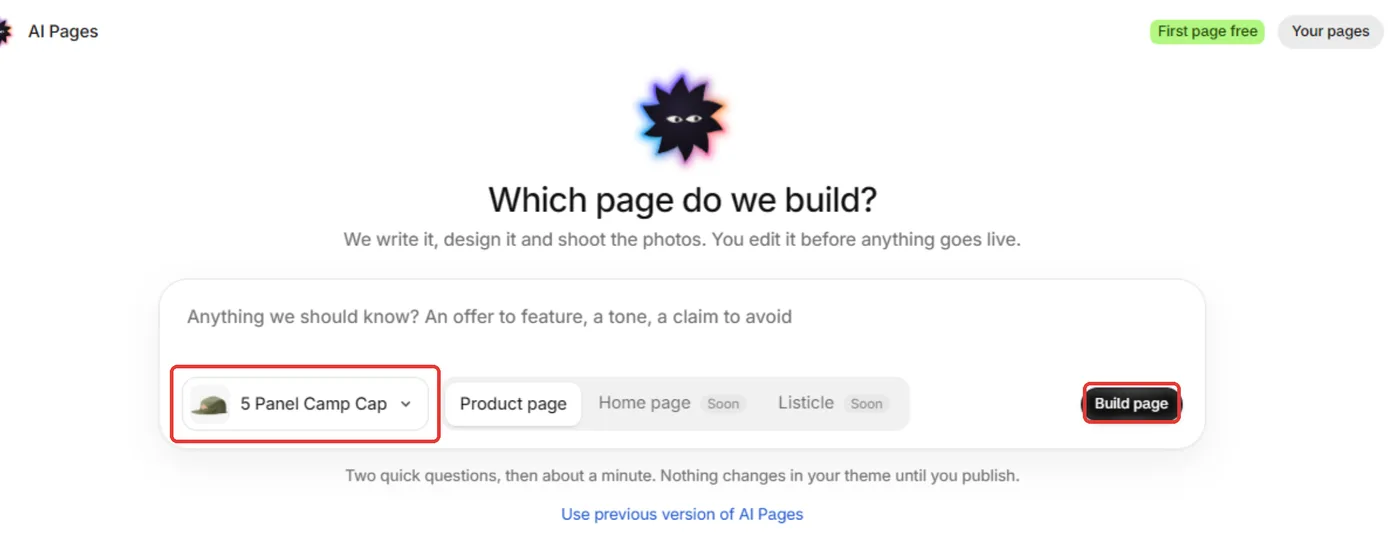
In Section Store, open AI Pages.
Click Choose a product and pick the product.
Optional: add notes for this page, like an offer to feature, a tone or a claim to avoid.
Click Build page.
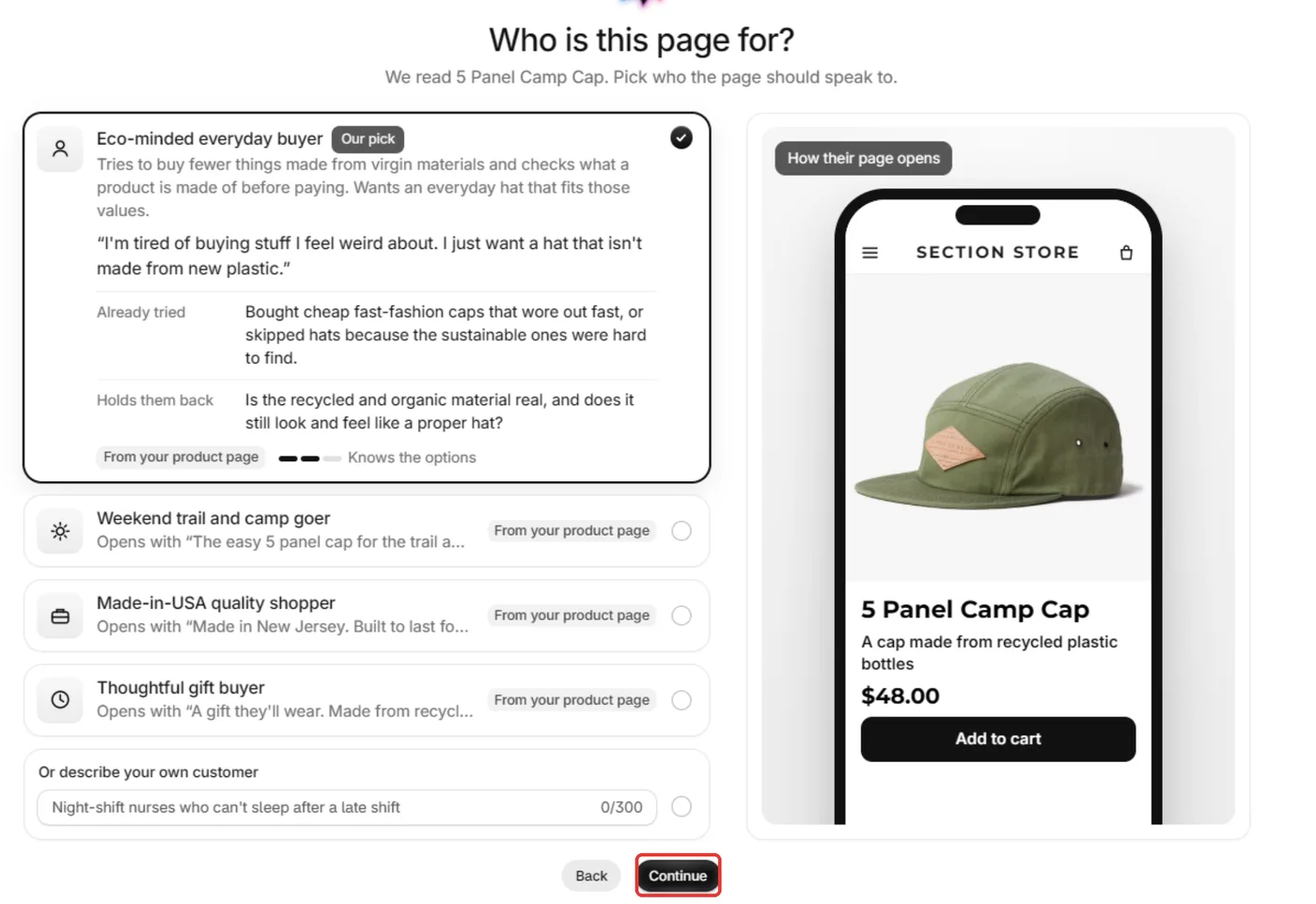
Under Who is this page for?, pick one of the customers we suggest, or describe your own customer. Then click Continue.
Under How should the page look?, pick a look (Like my store, My store, with new colours or A fresh look), pick Shoot new photos or Use my own photos, and check the language.
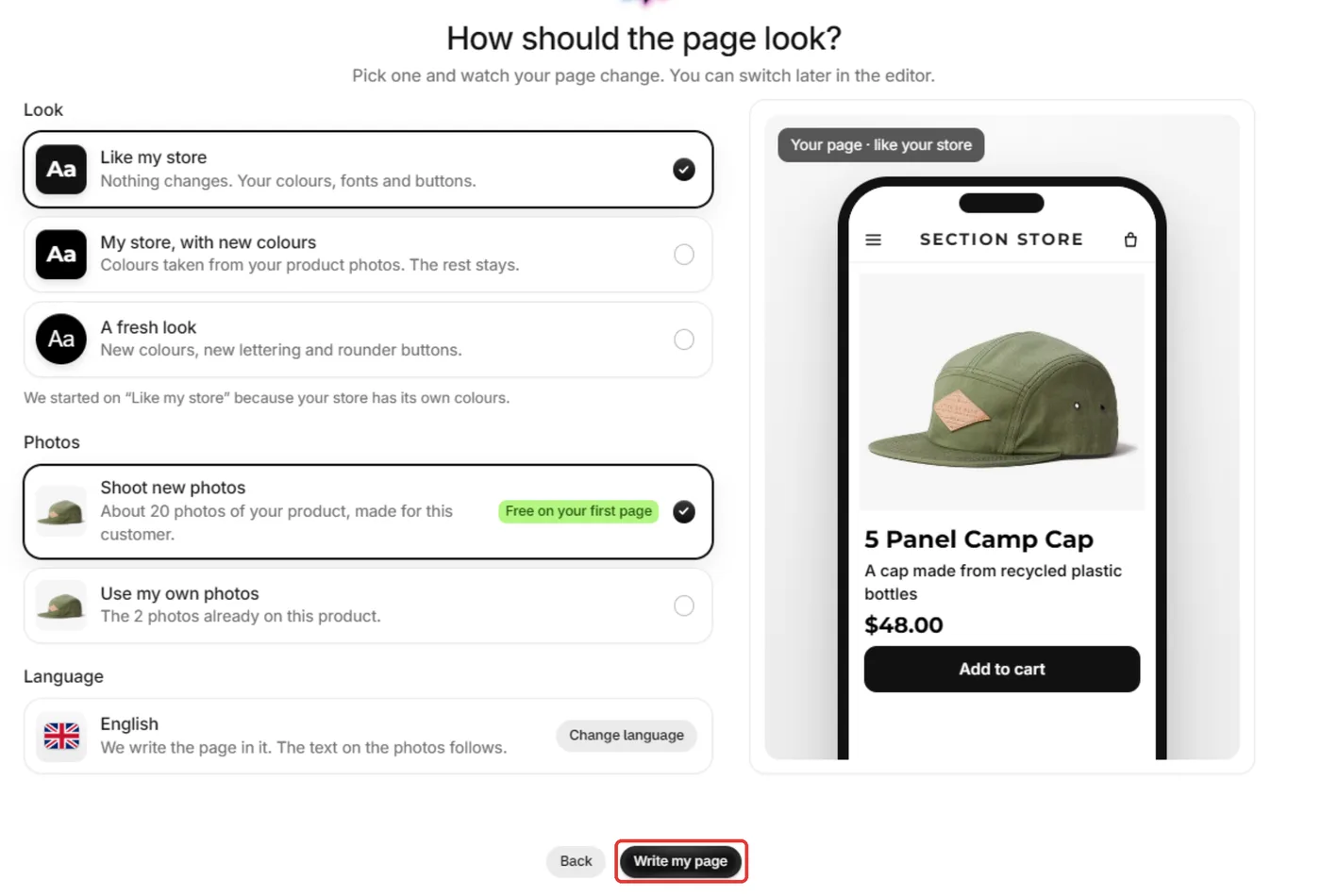
Click Write my page and wait about a minute.
Edit and publish
Edit the page in the editor tabs: Chat, Story, Sections, Photos and Design. Your changes save on their own, and Undo takes a change back.
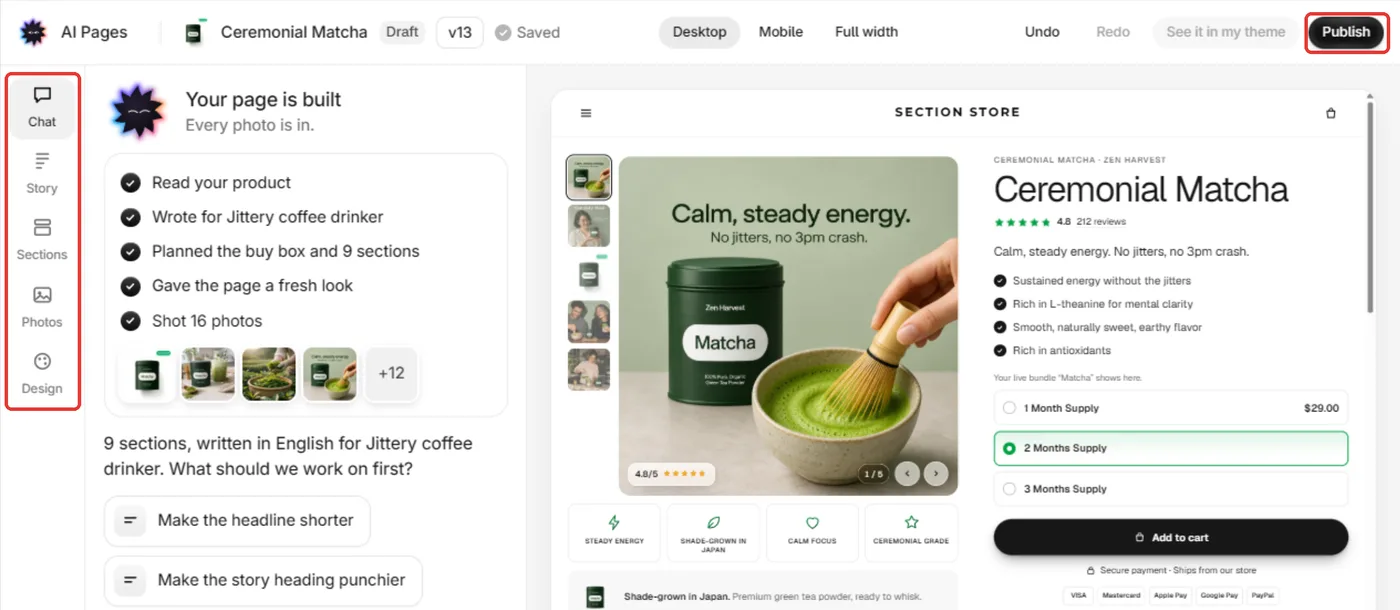
Click Publish.
In Put your page live, pick your theme and choose what to switch on, like Show it on [product] now. Read anything marked Review, since we filled those in ourselves.
Publish. You'll see Your page is live.
Tips
- Example reviews and ratings are placeholders. Swap in your own before you publish.
- You can switch the product back to its old page at any time under Theme template on the product in Shopify.
- Find every page you built under Your pages at the top of AI Pages.
- Need a home page or another page type? Click Use previous version of AI Pages on the start screen.
Also searched as: new ai pages, ai pages, ai product page, build product page with ai, ai page builder, ai landing page, product page generator, choose a product, build page, who is this page for, how should the page look, write my page, shoot new photos, use my own photos, ai photos, ai page editor, publish ai page, first page free, ai pages credits, previous version of ai pages, ai pagse
Did this answer your question?