
Unlock free gifts with bigger bundle offers
Show a row of gifts under your offers. Bigger offers unlock more, and unlocked product gifts go in the cart free.
Gifts to unlock shows a row of free gifts under your offers. A bigger offer unlocks more, so shoppers have a reason to pick the larger deal. Unlocked gifts show Free, the rest show dimmed with Locked, and unlocked product gifts go in the cart free. It's off by default.
Before you start
Add your offers first, since each gift unlocks from one of them. The row works best with two or more offers.
Set up the gifts
In Shopify admin, open Apps → Section Store → Bundles.
Open the bundle.
Scroll to the Gifts to unlock card and turn on Show gifts to unlock.
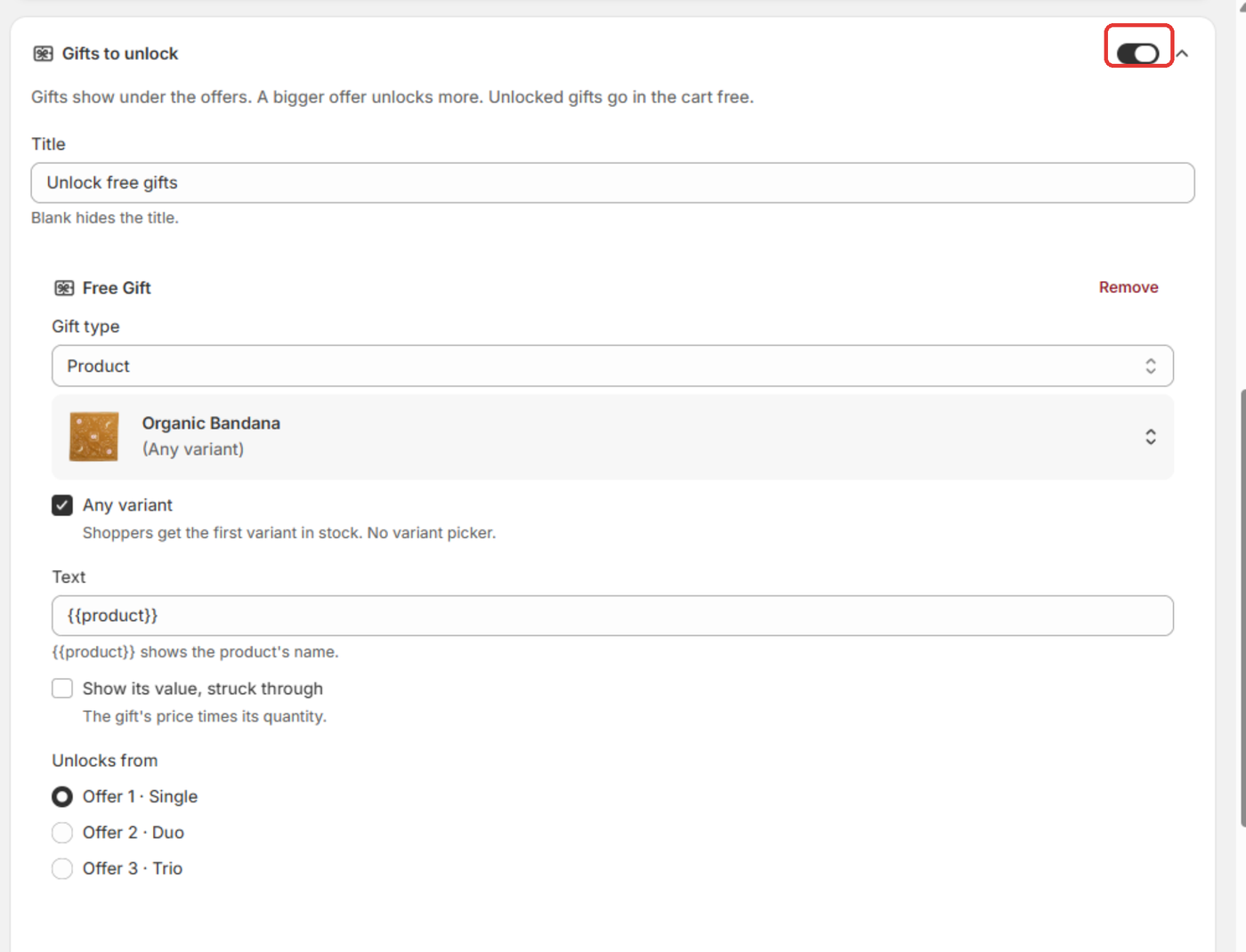
Edit the Title. The default is "Unlock free gifts". Blank hides the title.
Click Add gift. Under Gift type, choose Product and click Select gift. Or choose Text only for a promise such as "Free shipping".
Under Unlocks from, pick the offer that unlocks the gift. It's counted in the order shoppers see the offers. The gift unlocks at that offer and every later one.
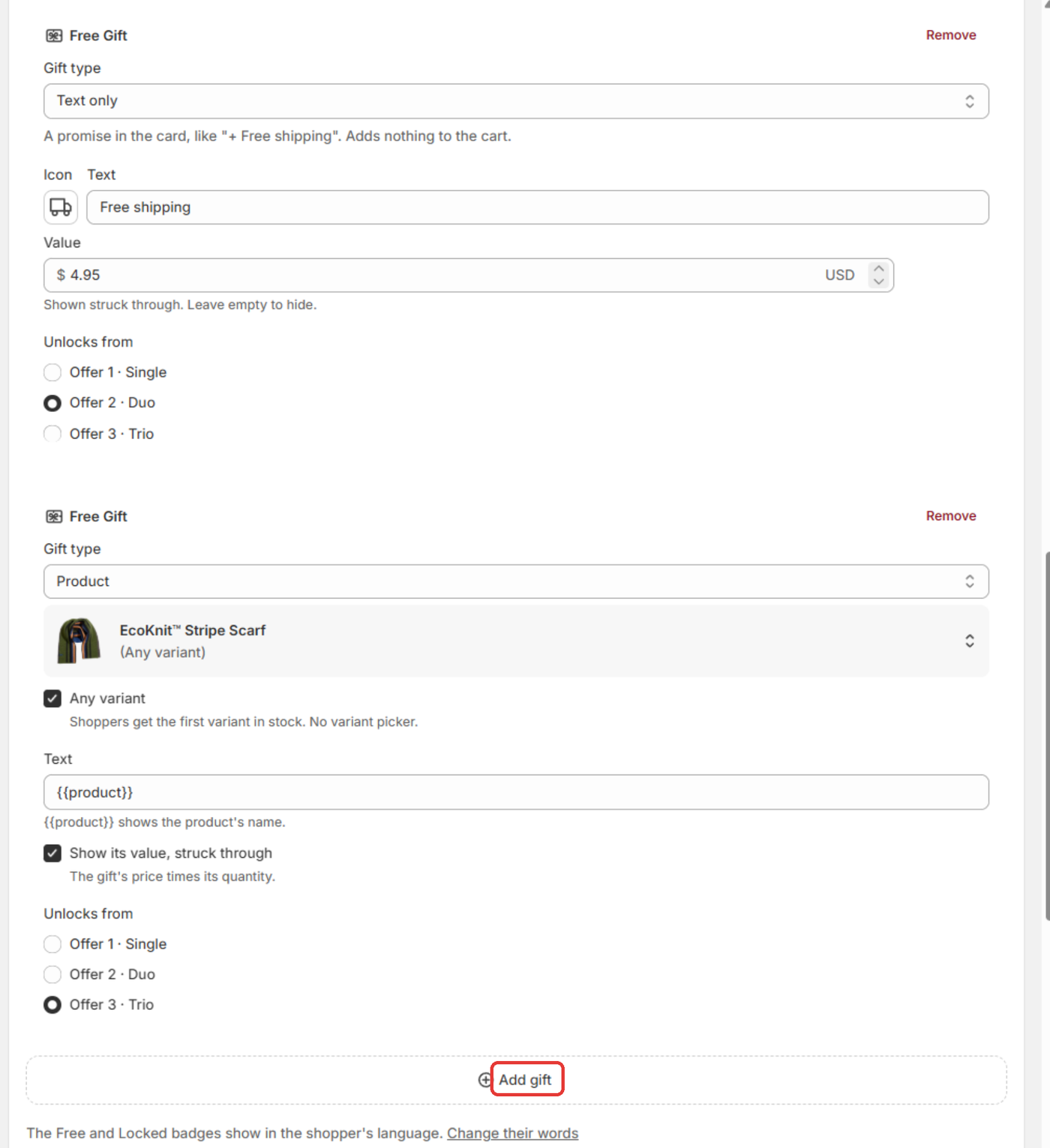
Add up to 4 gifts.
Click Save. On a live bundle, this updates your store at once.
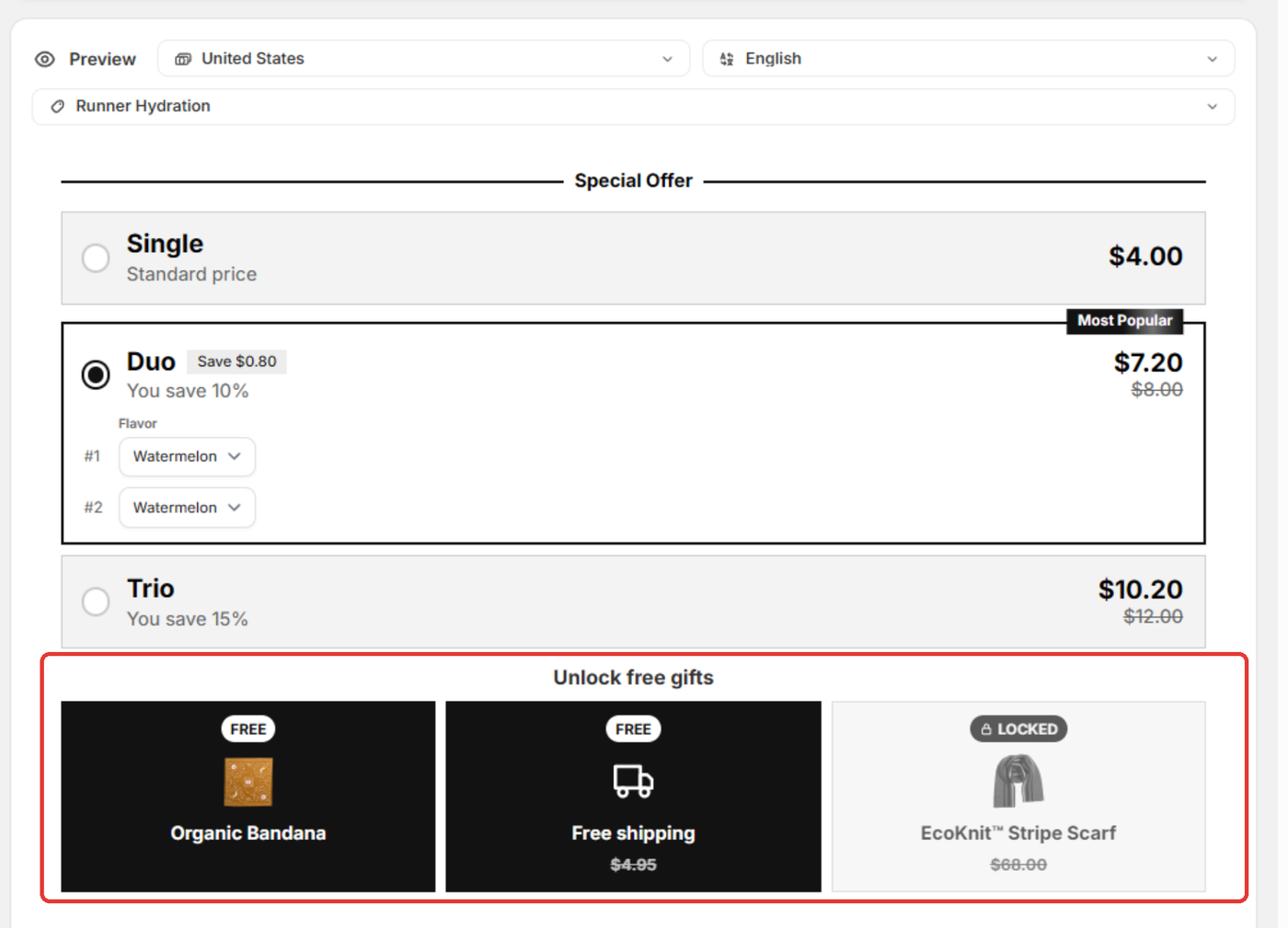
Good to know
- Each gift is one unit.
- In a product gift's Text,
{{product}}shows the product's name. - A Text only gift shows in the row and adds nothing to the cart. "Free shipping" gives no free shipping by itself.
- The Free and Locked badges follow the shopper's language. Click Change their words on the card to edit them on the Translations page.
- Click Customize gift styling to change how the gifts look.
- If a shopper raises the quantity in the cart, the gift stays free while any unlocking offer is reached.
- A sold out gift product drops out of the row.
- Offers that unlock a product gift hide "Buy it now", because it would skip the gift.
If it doesn't work
- "Gifts to unlock: Gift 2: Pick a product.": that gift has no product. Pick one or remove it.
- "Gifts to unlock: Gift 2: Add its text.": the Text field is empty.
- "The bundle has no offer 3. Pick another offer.": the offer was deleted. Pick another under Unlocks from.
Related
Also searched as: gifts to unlock, unlock free gifts, progressive gifts, tiered gifts, free gift tiers, gift ladder, bigger offer more gifts, locked gift, free and locked badges, gift row under offers, unlocks from, gift reward tiers, unlock gift at higher offer
Did this answer your question?