
Theme Migrator
Theme Migrator moves your Section Store sections, with the settings you customised, from one theme to another.
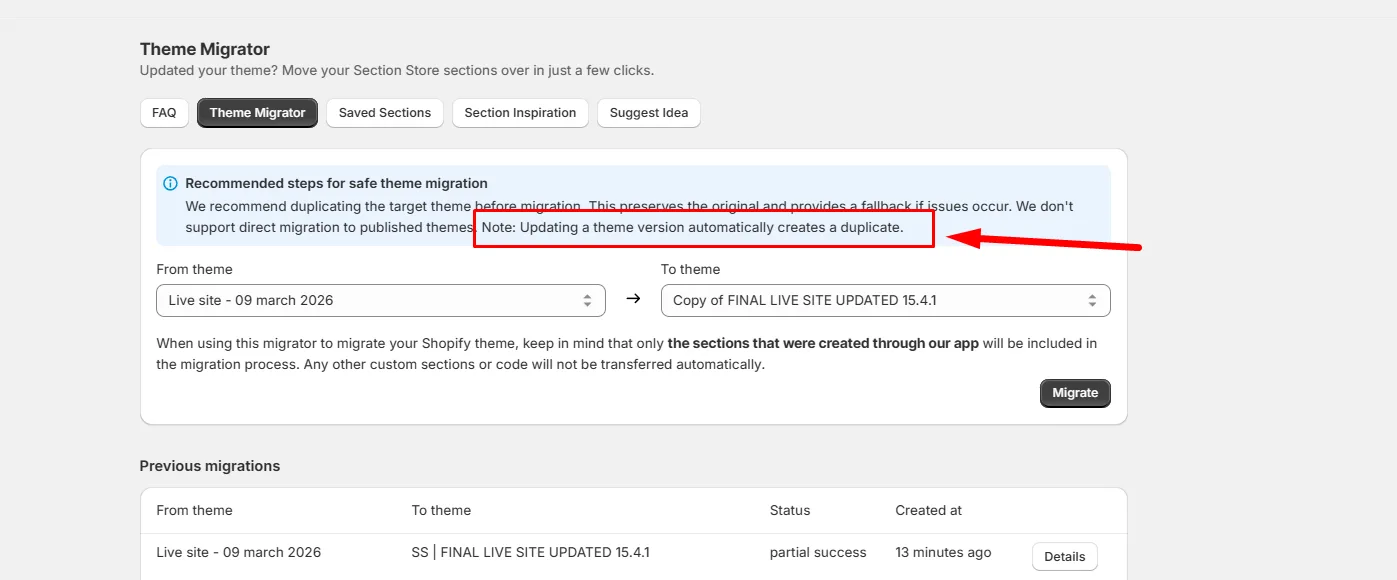
Which tool do you need
This is the part people get wrong, so start here.
- Upgrading your theme to a newer version? Use Shopify's own theme updater in your Shopify admin first. That is the safer route for a full upgrade.
- Moving a few sections between themes? Use Theme Migrator. That is what it is built for.
A full theme upgrade is more involved than moving sections: the new version may not have the same templates, some JSON templates can differ or be missing, and Theme Migrator only handles Section Store sections, not the rest of your theme.
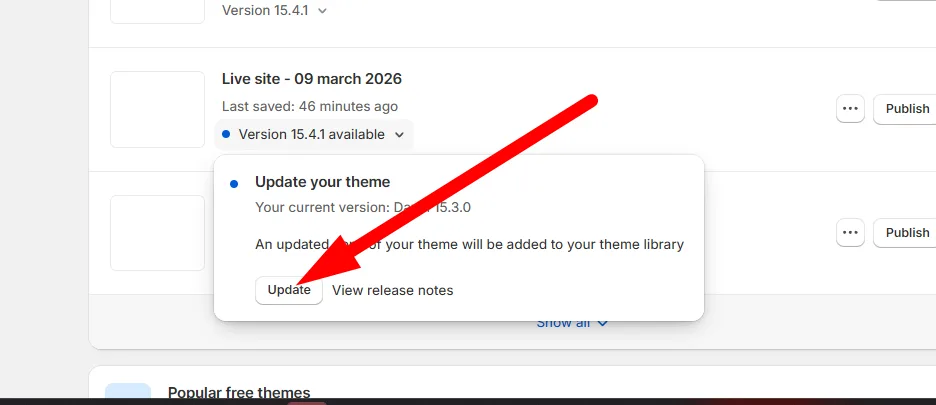
Recommended workflow for a theme upgrade
- Run Shopify's native theme updater.
- Check whether your Section Store sections carried over.
- For any page or template that lost them, use Theme Migrator on just those.
Using Theme Migrator
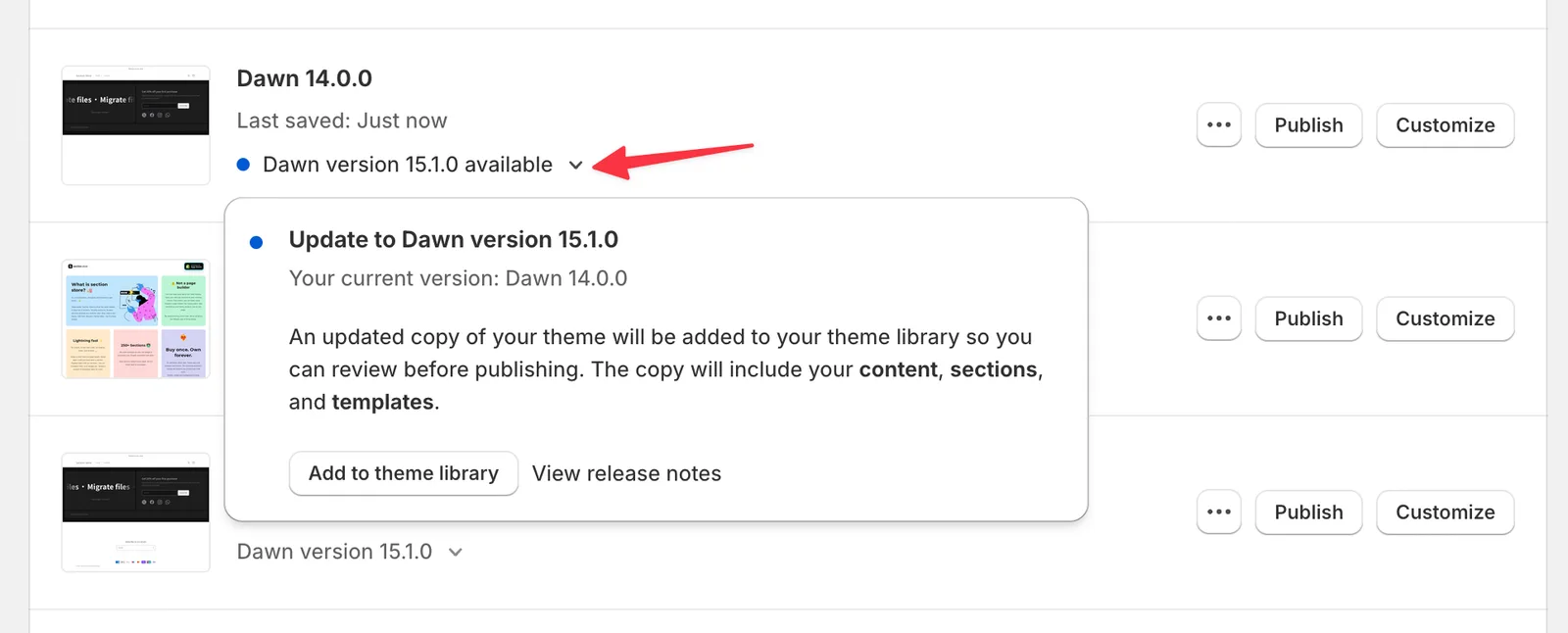
1. Make a copy of the theme you are migrating into.
Updating a theme creates a fresh copy of the original. It carries the latest features, but not the custom changes you made outside the theme's built-in functions.
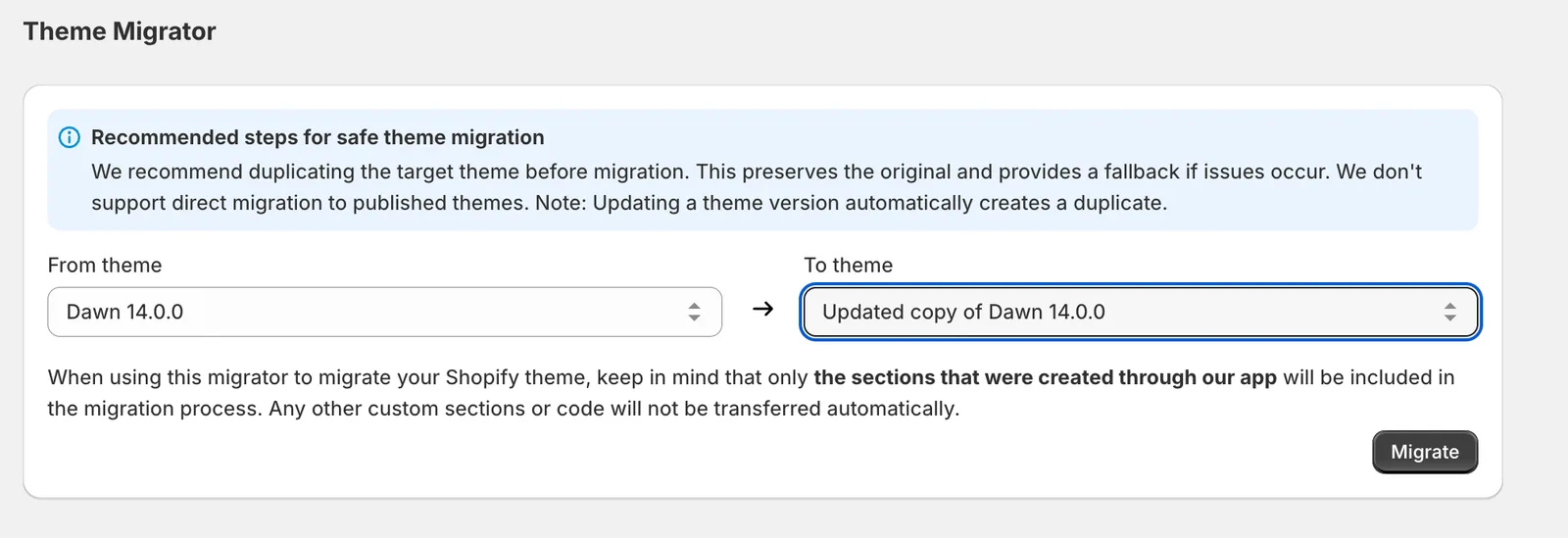
2. Migrate the old theme into the new one.
Open Theme Migrator in the app. Pick your original theme as the source and the updated copy as the destination. Your sections move across with their customisations.
- Double-check both selections before you start.
- Never migrate directly into your live theme.
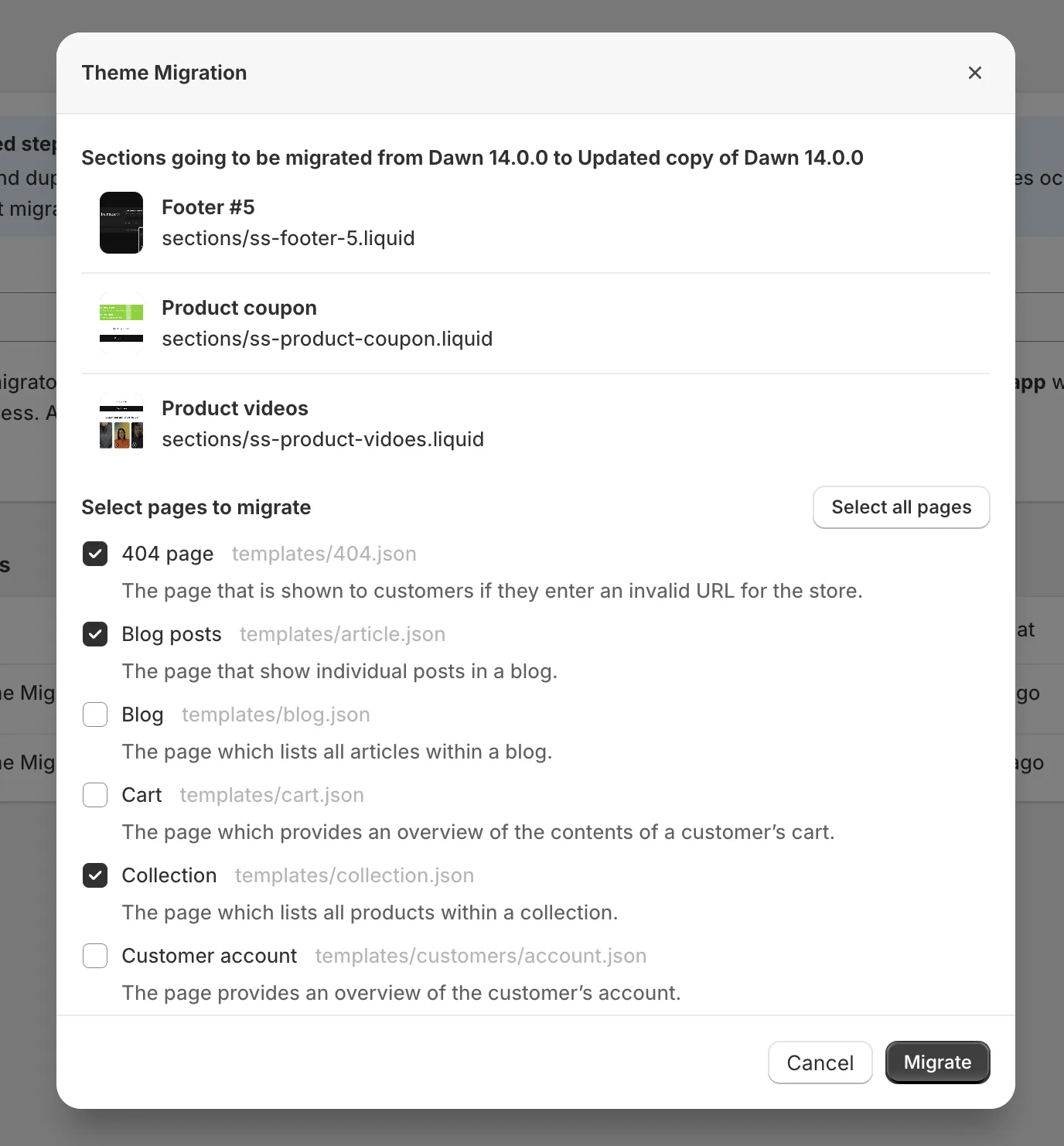
3. Choose the pages to migrate.
Select the pages you want. Content and sections both move, including customisations. Use select all pages to move everything, which takes longer to finish.
Related articles
- My Section Disappeared After a Theme Update or Switch
- Copy Section Settings to Another Theme by Editing Code
Also searched as: theme migrator, migrator, migrate, migrate sections, move sections, transfer sections, copy sections to new theme, new theme, theme update, theme upgrade, update theme, upgrade theme, newer version, theme version, shopify theme updater, native updater, sections gone, sections missing, lost sections, sections disappeared after update, did not carry over, rebuild sections, source theme, destination theme, select all pages, migrate all pages, live theme, duplicate theme, copy theme, json template, templates missing, which pages, customisations, customizations, settings lost, when to use theme migrator, when not to use, full theme upgrade, selective transfer, move to another theme, section store sections
Did this answer your question?